
At Workoholics, the design, development and communication teams already work with AI agents through chained workflows for each profile: skill packages, one per profile, that carry a brand's design system from Figma to its website, its campaigns and its presentations. Every change travels through GitLab as a reviewable merge request, so nobody copies values by hand. We apply it today in our projects, from kickoff to visual QA, so that design, code and brand always tell the same story.
A few weeks ago, Amaia explained here how we use DESIGN.md so that AI agents understand our design systems. And she ended with a pending challenge: that file doesn't update itself. If a token changes in Figma, someone has to remember to carry it over. This post is about how we solved it, thanks to a workflow. Or rather, several of them. One for each profile on the team, chained together, carrying every design decision from Figma to code without anyone having to copy a value by hand.
From one-off prompts to workflows
When a company starts working with AI, it's common for each person to have their own prompts. They work, but they don't scale, and each person gets different results for the same task.
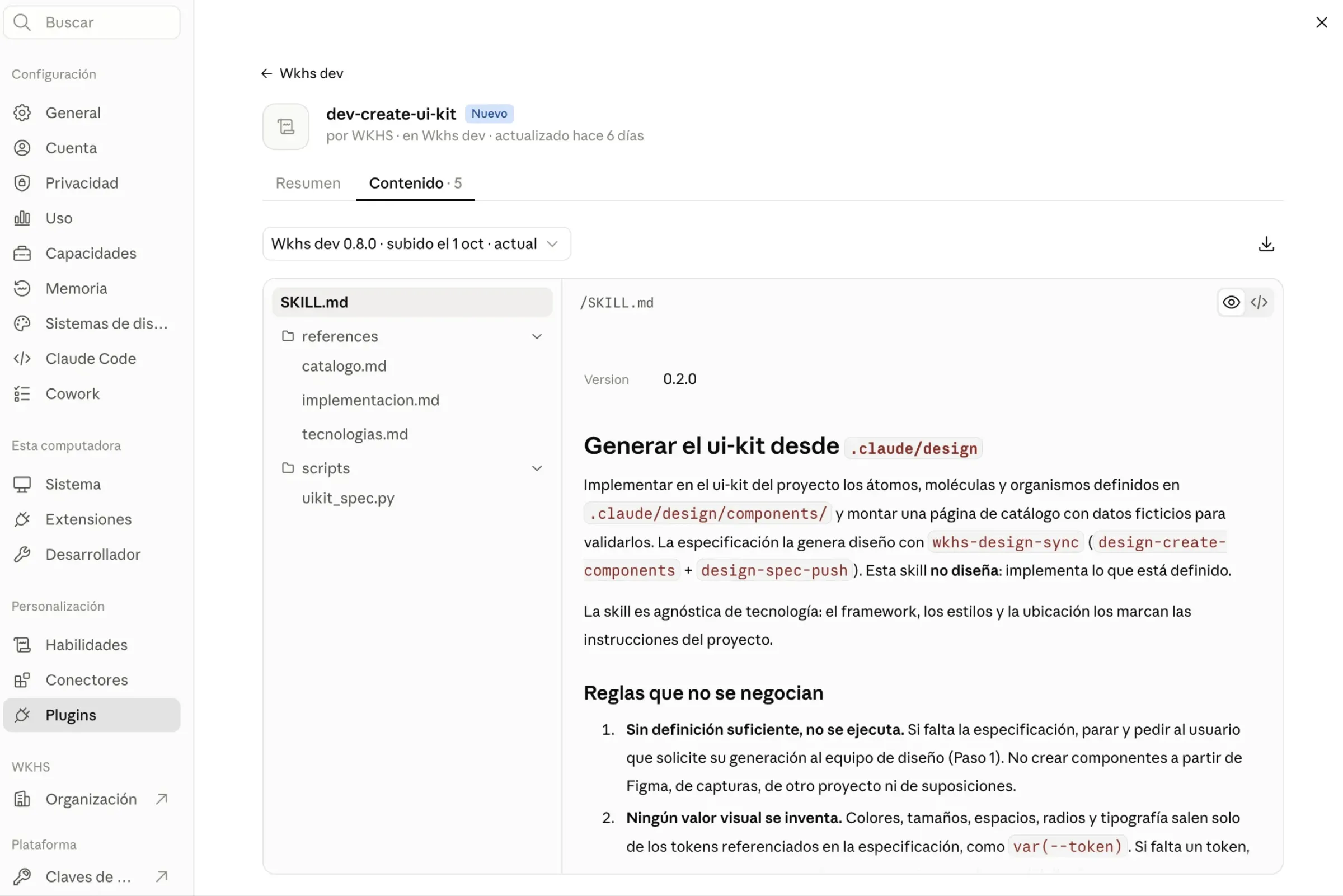
With a profiled workflow, instead of asking each person to know how to explain to the AI how we work, we package that knowledge into skills the agent already has built in. Each skill does one thing only: it knows when it should be used, what it needs to start and what it delivers when it finishes.
The important thing is that all these pieces fit together. What a design skill produces is exactly what the next development skill expects. And if something is missing, it doesn't improvise: it stops, says what's missing and knows who to ask for it.
Methodology: a single source
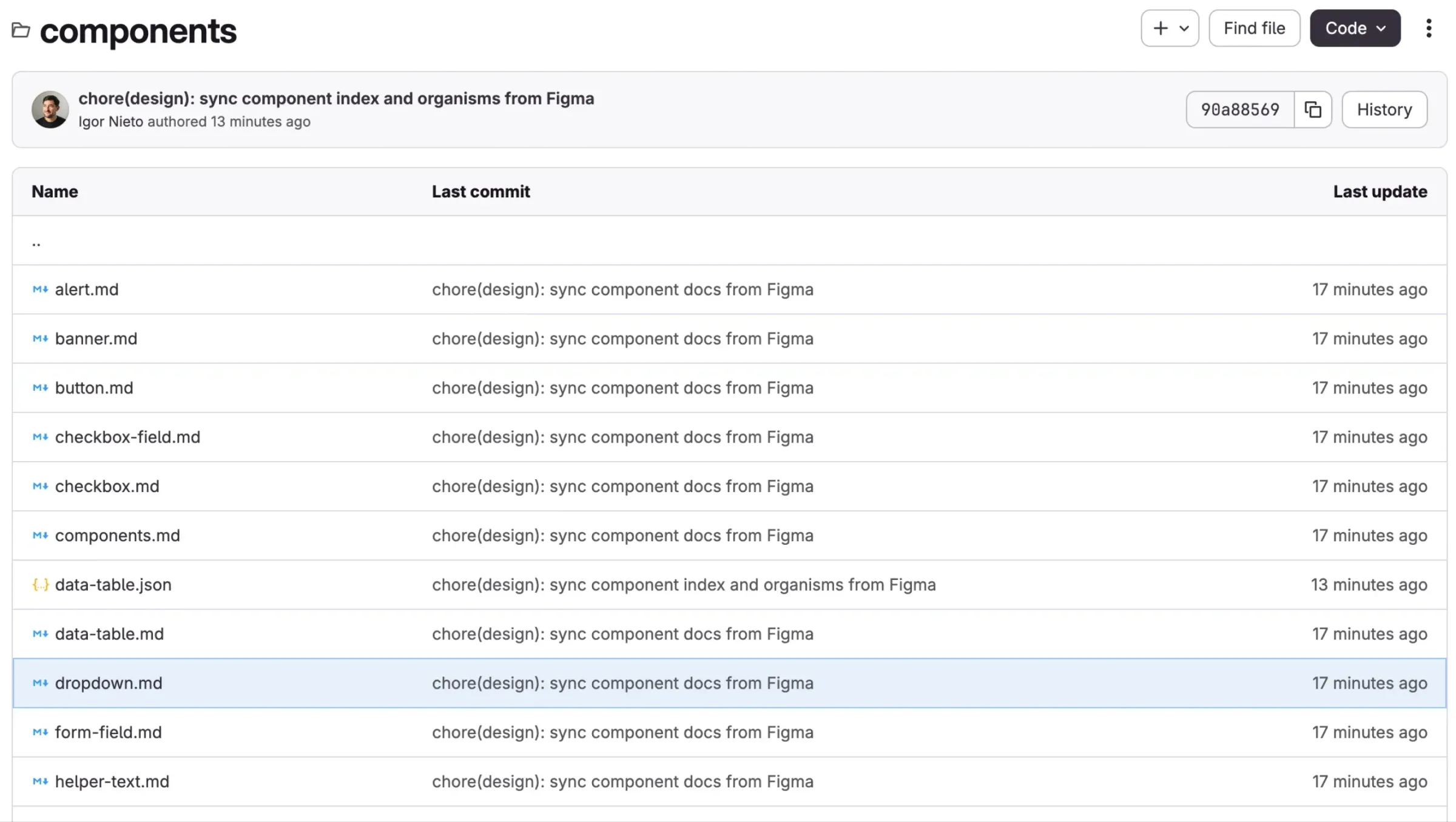
This way, Figma becomes the source of truth and, in a way, the repository is the contract. Design is decided and reflected in Figma; what reaches GitLab, in the .claude/design folder of each project, is the agreed version of that design, readable by both people and agents.
Three principles come from there:
- We never need to touch anything manually twice. Tokens, components and templates are read from Figma and written to the repo.
- Automation respects the team's work. Each file separates what comes from Figma from the notes and exceptions people add. When syncing, only the generated part is updated; whatever someone on the team has written stays where it is.
- The original designs are never modified. Skills read them and write only on their own pages (Components, Layout, Screens).
And order is maintained, because in a design system some pieces depend on others:
- Tokens: color, typography, spacing, radii and motion, normalized as variables.
- Base layout: grid, containers, margins and vertical rhythm per breakpoint.
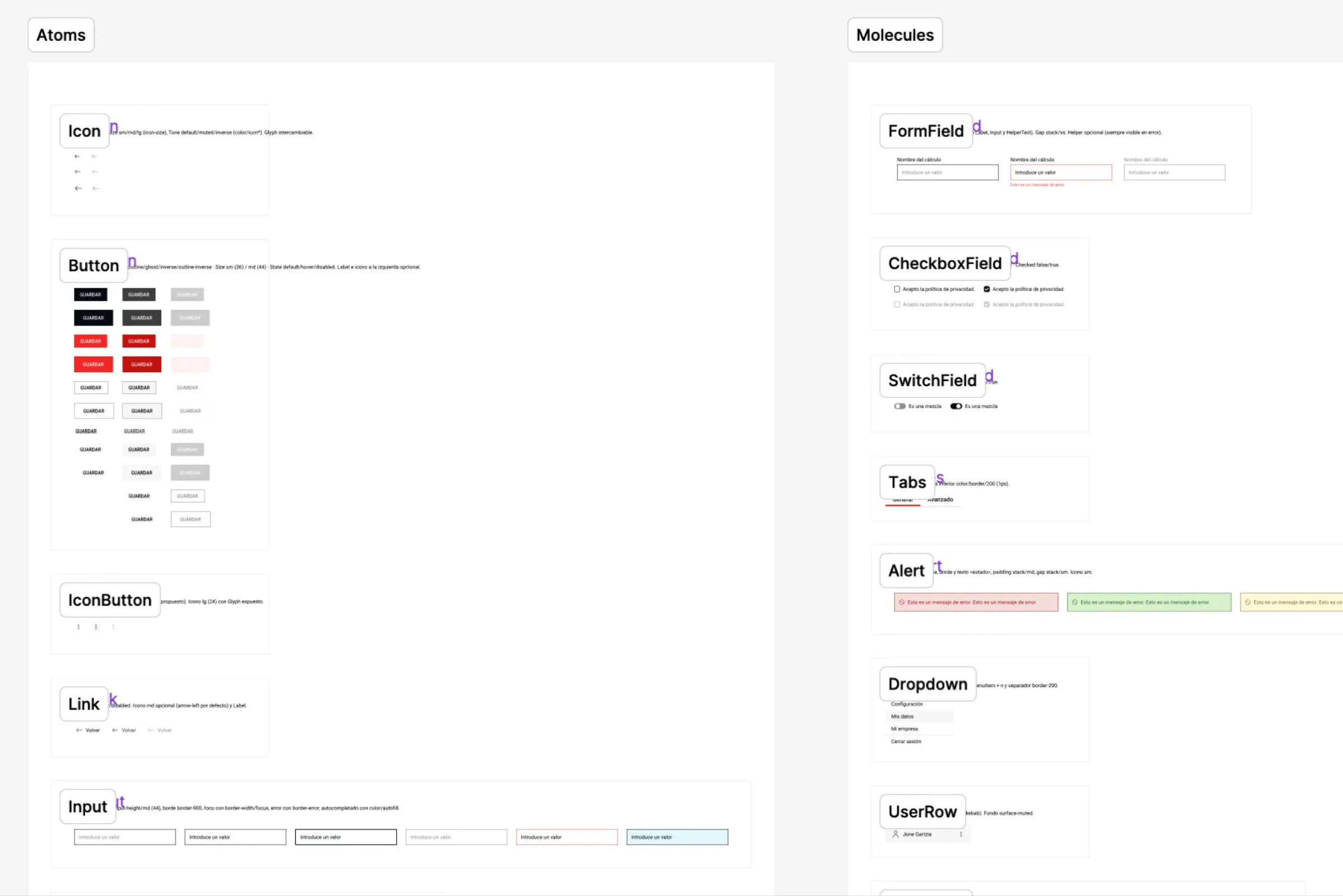
- Components: atoms, molecules and organisms, built bottom-up with instances from the previous level.
- Page templates: regions and organisms per template.
- Motion: animations and interactions described as data, with their own tokens.
- Screens: each screen turned into a reproducible definition, with real and test content.
Each step is pushed to the repository, so any design change is reviewed the way code is reviewed: with a history, a person who approves and the option to roll back.
One plugin per profile
The key to making this work in a team is that each person uses what they need, in their own language. Designers don't need to know about branches. Developers don't need to open Figma to look up a value.
Design: organize, document and push
The design plugin turns a Figma file into a system. It extracts the tokens and normalizes them as variables, identifies atoms, molecules and organisms and builds them as components with their variants, defines the grid and page templates, and describes motion in natural language so it can be translated into a structured definition. It also works from references: a website, a video or a GIF to say "make it move like this".
Every push comes with a plain-language report: new components, renamed ones, changed values, added variants and which other pieces are affected. That report appears in the confirmation, in the merge request and in the final summary.
Development: implement what's defined, and only that
The development plugin follows the same order: tokens, ui-kit, layout, screens and motion. Each skill reads the specification from the repository and implements it in the project's technology, whether Astro, React, Angular or another. It doesn't design. It implements what has been decided.
Some rules the agent always applies:
- Visual values are only written as tokens, never as loose numbers.
- Components are built by composition, without style patches on their children.
- Each component appears in an internal catalog with dummy data and extreme scenarios: long texts, empty states, many items.
- Screens are built first with test content, ready to be integrated with the CMS later.
And we close the loop with an interface review skill. It compares the implemented screen with the Figma frame and the specification, and delivers a findings report with evidence and severity. It tells apart whether the issue is in the code or whether design and specification contradict each other, in which case it goes back to design. It only fixes things with confirmation.
Communication and sales: the brand hits the streets
The design system doesn't end on the web. The communication plugin starts from the same tokens, components and templates in the repository to generate the assets for each campaign: an email, a campaign landing page or a new corporate presentation. Every asset is born with the brand up to date, without rebuilding styles or hunting for the latest logo.
The sales profile uses that same foundation to prepare proposals and presentations tailored to each account. It can adapt the message, but not step outside the identity. If the brand changes in Figma, it also changes in everything that gets published.
Use cases: what it looks like day to day
This is how we already work at the agency. Some real situations from our day to day:
Starting a web project from scratch. A single request sets up the whole project: a repository with the website in Astro, the CMS in Strapi and the shared libraries. Then the tokens arrive from design and the system starts taking shape, with no custom setup for each project.
A design change mid-project. Design tweaks a group of colors and two components. Before pushing anything, they ask to see what has changed, review the report and push only those units. Development receives a clear merge request, syncs the theme, and the ui-kit knows exactly what to update. Nobody asks "was it like this, or did I dream it?".
Animations that don't get lost along the way. We want a card to come in on scroll, or a section to stay pinned while the content moves on. Design describes it in words or with a reference; the skill turns it into a definition with duration, easing and distance tokens. Development implements it with GSAP and ScrollTrigger if the project uses them, always respecting people who prefer reduced motion.
Screens with realistic content. Each screen is extracted from Figma as a definition: which template it uses, which component goes in each region and what content it expects. From there, test content sets are generated (empty, long texts, many items, errors) and built in Figma or in code so we can see them all. Edge cases show up before launch, not after.
Visual QA with judgment. Before signing off a screen, the interface review compares it with the design at several widths and states (hover, focus, open menu). The result is a report sorted by severity that anyone on the team can read.
What we've learned along the way
Not everything worked the first time. And we're sharing it because it's part of the story.
Faster doesn't always mean more. Our first pushes reread the whole of Figma and rewrote the entire system with every change. It worked, but it was heavy. Now each token group, component or template has a fingerprint: if it hasn't changed, it isn't read or pushed. We also tried pushing from each person's computer with local git, and dropped it. Everything goes through the GitLab connection, with no clones or setups that drift out of sync from one computer to another.
Technical decisions have to live in the specification. One example: with certain scroll libraries, a pinned element can't be solved with CSS. That's why that behavior no longer lives in the component but in its motion definition. That way, development knows how to implement it according to each project's technology.
An AI that stops is a virtue. Before starting, each skill checks that it has what it needs. If not, it stops, explains what's missing and who to ask for it. Less magic, more trust.
What has changed in the team
Building these workflows is giving us the chance to relate to each other from a new perspective, understanding the needs and urgencies of each profile.
- Less back and forth and clearer reviews, because every design change is captured, versioned and approved, just like code.
- Consistency across the team. The agent applies the same rules no matter who is working, and onboarding is faster because the project's context lives in the repository.
- More time for what matters: creating, deciding, questioning and polishing the details.
How do we know it works? We look at three signals: how long it takes for a design change to be approved, how many errors we find when reviewing each screen, and how often a color, typeface or measurement shows up that isn't in the brand system. If changes get approved sooner and fewer errors and brand deviations appear, we're on the right track.
And a lesson that goes beyond design: the same pattern works for different profiles. Marketing, content or sales can also have their own skills, with the brand and the team's judgment built in, so anyone can produce consistently even without a technical background.
Judgment, our greatest value
Amaia said that design never ended in Figma. Today we add that it doesn't have to get lost along the way either. When a team's knowledge becomes a workflow, it stops depending on one person's memory and starts working for everyone.
That said, skills don't decide which color best conveys a brand's value, or the intention and experience of an interaction. We still do that. AI executes and organizes. And, as Amaia said, judgment, questions and shared decisions are still our thing.
And this doesn't stay in-house. We support other companies on both parts of the journey: defining the strategy and the brand system, and designing and implementing the workflows that take it to every team, from marketing to development. It's in large organizations, with many teams and suppliers, where it makes the biggest difference: the brand reaches every channel the same way, and software teams can start from the same system to build new applications.
If your brand needs to reach many teams, channels and applications consistently, or you're already on it and want to swap experiences, write to us. We'd love to talk about all this over a coffee.